Image Studio
Front Porch does not draw pictures. You run a picture program (or a cloud image API). Front Porch sends it a prompt.
Your chat model is not the painter.
Phone: there is no full Studio. Phone Models can still generate one picture and insert it. /image works in web chat.
What you need
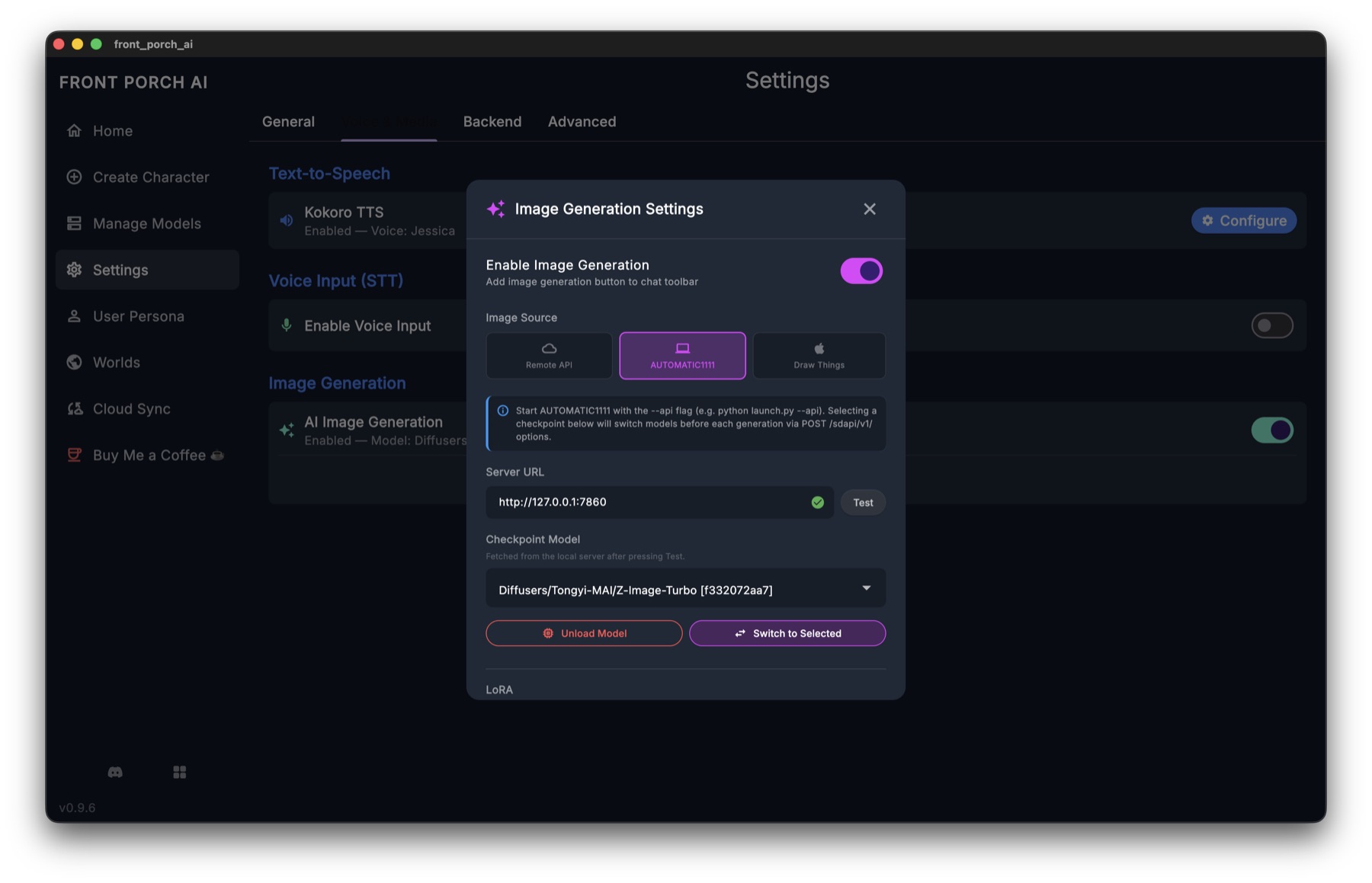
- Settings → Voice & Media → Image Generation → on. Until that is on, the ✨ button is hidden.
- A picture program running, with an image model loaded — or a Remote API key (the same key as Settings → Backend).
- Open a chat → ✨ in the input bar.
- Pick the matching chip inside Studio. Wait until the card says connected (it lists models / LoRAs). Then Generate.
URL and model lists live inside Studio, not on the Voice & Media row.
Front Porch will not start Draw Things, ComfyUI, or Automatic1111 for you.
Backends
Pick a chip in Studio. The tab auto-tests on open and when you switch chips. Retry if it failed.
| Chip | You start | Default | You will miss this |
|---|---|---|---|
| Draw Things | Draw Things on a Mac. Enable gRPC. | Host 127.0.0.1, port 7859 |
Not shown on Windows/Linux unless you already saved it. This is gRPC, not a website URL. |
| ComfyUI | ComfyUI | http://127.0.0.1:8188 |
Edit = pick a recipe or upload a workflow. |
| AUTOMATIC1111 | A1111 or Forge | http://127.0.0.1:7860 |
Must launch with --api. Without it, Front Porch cannot talk to it. |
| Remote | Nothing local | Same URL and API key as Settings → Backend | Not a second key. Empty key = Generate looks fine and does nothing useful. You pay the cloud. |
Connected means the picture program answered and listed checkpoints. If the hint says it is not running — start it, load a model, Retry.
Create vs Edit
Two tabs at the top.
Create — new picture from a prompt. Model, LoRA, size, style, negative prompt, Advanced samplers.
Subject
- Freeform — you write it. Empty + Write it for me pictures the current scene (your chat LLM drafts the prompt; you can edit it).
- Character — close-up from appearance + current expression. Personality text is not stuffed in. In a group, pick one member. A group shot is allowed; diffusion is bad at several specific faces, and the UI says so.
- Your persona — from persona appearance.
Prompt style: natural language (FLUX / SD3) or Danbooru tags (SD 1.5 / anime). Match the checkpoint.
LoRAs: compatible ones show. Confirmed mismatches hide behind Show N incompatible. Weight slider is there.
Reference image (img2img): local backends only (hidden on Remote). Attach a picture + denoise. Not the same as Edit.
Edit — change a picture you already have. Needs an edit image model (Qwen-Image-Edit, Flux Kontext, …). A normal txt2img checkpoint will not do this. The app tells you why; it does not silently fake txt2img.
- Draw Things Edit: Use recommended on the recipe strip. Weird CFG on Qwen-Image-Edit often returns a blank image.
- Comfy Edit: built-in recipe or upload a workflow.
From a result: Variations, edit prompt & regenerate, send to chat, save to gallery, save to disk.
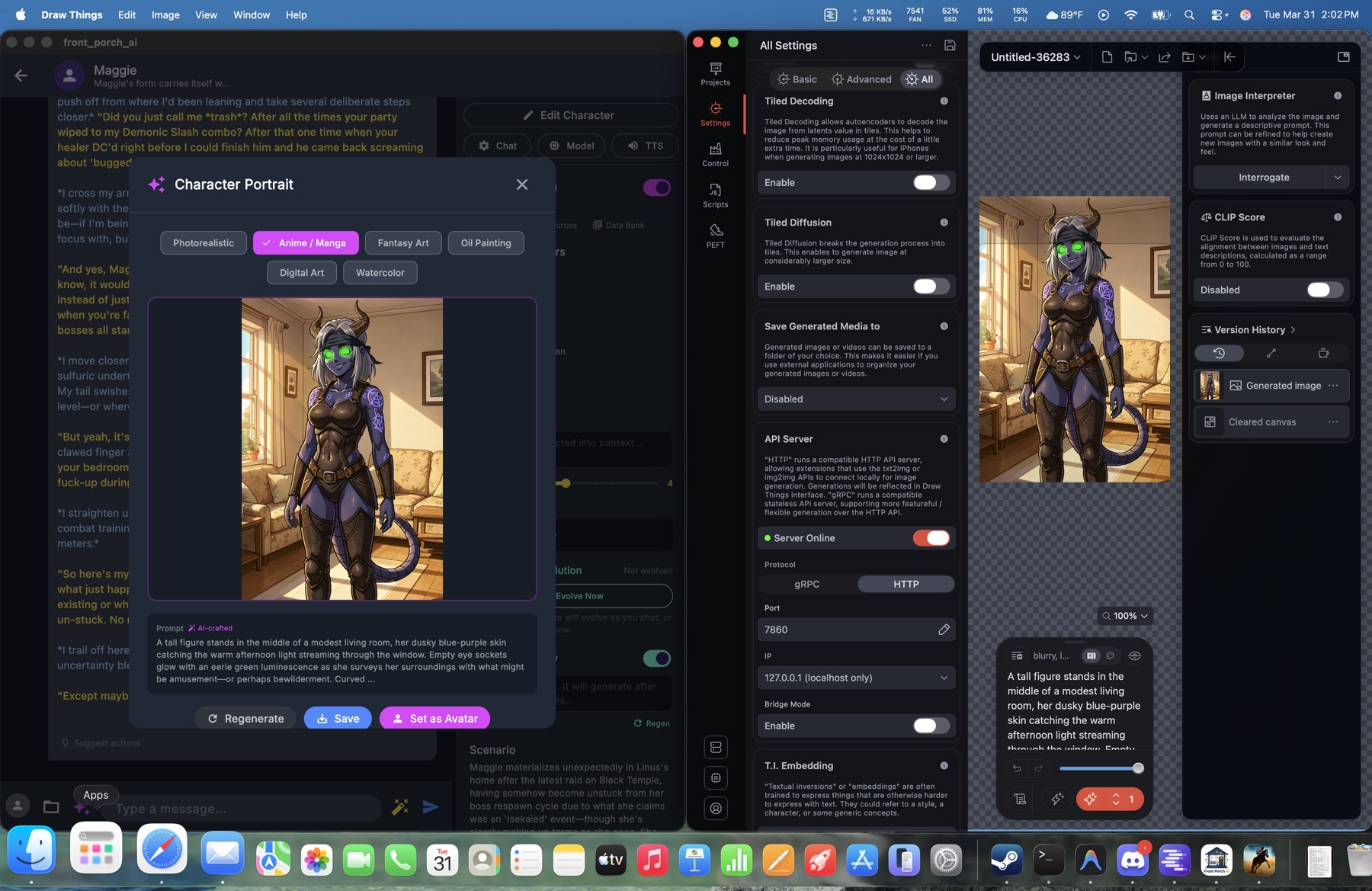
/image in chat
/image — current scene./image me · /image char · /image raw <prompt> · /image <description>
If Review AI prompts before generating is on (Studio generation settings), /image pauses so you can edit the crafted prompt.
Expression packs
From one base portrait, so the pack stays the same person. Studio or the character editor portrait panel.
| Pack | Faces |
|---|---|
| Starter | 8 — neutral, joy, sadness, anger, fear, surprise, love, embarrassment |
| Full | 28 — everything chat expressions can show |
Keep faces you like; only generate missing ones.
QC (the app looking at each face) needs a vision-capable chat model: local GGUF + mmproj in Model Settings → Vision, or a vision API. “Couldn't check vision” usually means the server is still loading.
No base portrait → it stops. No edit-capable image model → pack-from-portrait cannot run.
When it is grey / broken
| You see | Cause | Fix |
|---|---|---|
| No ✨ | Image Generation off | Voice & Media → on |
| Not connected | Picture program down, wrong port, A1111 without --api |
Read the grey hint. Retry. |
| Edit grey | Wrong image family | Switch the image model, not the chat model |
| QC grey | Chat model cannot see | Vision GGUF + mmproj, or a vision API |
| Blank Edit (Draw Things) | CFG/sampler off the recipe | Use recommended |
| Remote Generate does nothing | No Backend key | Settings → Backend |
More Q&A: FAQ → Pictures.